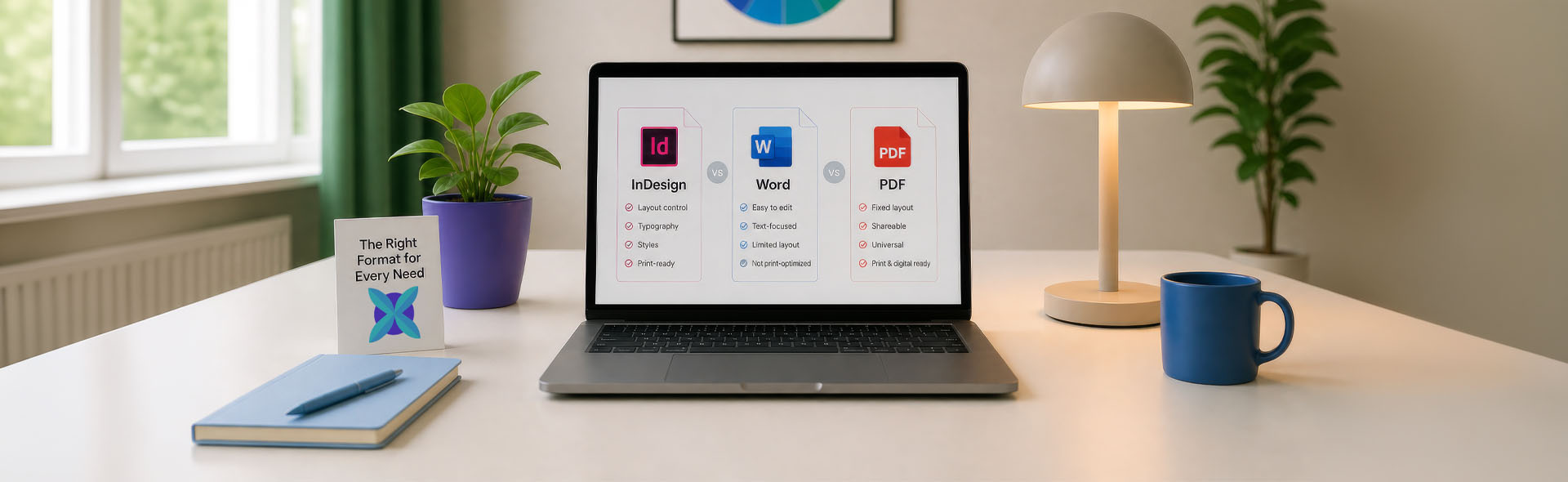
DTP Rate per Page by File Format
One of the most common questions from translation agencies and publishers is: how much does desktop publishing cost, and how is it calculated? The answer depends significantly on the file format. Not all files are created equal — and the format of the source document is one of the biggest factors that determines the DTP rate per page, the complexity of the work involved, and ultimately the total project cost.
This guide breaks down the three most common file types encountered in multilingual DTP projects — InDesign (IDML), Microsoft Word (DOCX), and PDF — and explains why pricing differs between them.
Most translation-friendly format. Clean workflow, lowest base rate for well-structured files.
Higher rate than IDML. Significant cleanup and preparation work typically required.
Limited editability. Recreation in InDesign often required. Scoped per project.
InDesign (IDML) — the most translation-friendly format
Adobe InDesign is the industry standard for professional layout work. Books, magazines, brochures, annual reports, product catalogues, and most commercially printed materials are designed in InDesign. It handles everything from master pages and paragraph styles to bleed, crop marks, and colour profiles.
What makes InDesign particularly valuable in multilingual DTP projects is its export format: IDML. An IDML file can be read and processed directly by CAT tools — such as Trados, memoQ, and Wordfast — meaning a translator can work on the text content of an InDesign layout without ever opening InDesign itself. The translated IDML is then forwarded for DTP processing, where the layout is adjusted, checked, and corrected before final PDF export.
Because the document structure is preserved through the IDML format, the DTP specialist works from a known starting point. The layout exists, the styles are in place, and the task is to adjust rather than rebuild. This efficiency is reflected directly in the pricing — starting from 4 € per page for clean, well-structured files.
What affects the IDML rate
Not all IDML files are equal. Several factors increase the rate above the base:
- Manually overridden formatting instead of paragraph and character styles
- No margin space left for text expansion after translation
- Headers and footers placed manually rather than through master pages
- Right-to-left languages such as Arabic and Hebrew — the entire page structure needs to be mirrored and rebuilt, which can double the time required per page
Translation memories built during IDML projects can be reused for future versions, reducing both translation and DTP costs over time. For recurring multilingual projects, this compounds into a significant saving.
Microsoft Word (DOCX) — more tedious, higher cost
Microsoft Word is a word processor, not a layout application. This distinction matters enormously in a DTP context. Word is designed for document creation and editing — it is not built for precise typographic control, professional print production, or structured multilingual workflows.
When a client delivers a Word file for DTP processing, several challenges arise immediately:
- Formatting is inconsistent by nature — spaces used instead of proper indentation, line breaks forced with Enter, font sizes adjusted individually rather than through styles, tables formatted by eye rather than by structure
- No native print output — bleed, crop marks, CMYK colour profiles, and PDF/X export are not native to Word. Producing a print-ready file typically requires rebuilding the content in InDesign
- CAT tool compatibility is limited — formatting codes can be broken during translation, styles can be lost, and the exported file often requires more manual correction than an equivalent IDML export
Word-based DTP projects require a workload assessment before a per-page rate can be proposed. The rate will be higher than for an equivalent IDML file — reflecting the additional time needed for cleanup, formatting correction, and preparation for print or digital output.
If a Word document is part of a recurring multilingual project, the most cost-effective long-term solution is often to rebuild it as an InDesign file at the start. This upfront investment pays for itself quickly across multi-language projects.
Need to Prepare a DTP Project Brief?
Create a structured project brief in your browser before contacting a DTP provider. Add your file format, page count, languages, deliverables, and common production risks. No upload, no storage, no sign-up.
Prepare Project BriefYou can use the generated brief with DTP Services Berlin or any other agency.
PDF files — limited editability, special handling required
PDF is a delivery format, not an editing format. It is designed to preserve the appearance of a document across devices and platforms — it is the end product of a design and layout process, not a starting point for one.
Direct editing of a PDF is possible only in a very limited way. Adobe Acrobat Pro allows minor text corrections, but any significant layout change — reflowing text after translation, adjusting text frames, changing typography — is not realistically achievable in a PDF.
Approaches depending on project goals
- Minor text corrections — can sometimes be made directly in Acrobat Pro when changes are small and fonts are embedded. Results are imperfect and not suitable for professional print output
- Recreating in InDesign — the most reliable approach for any project involving translation or significant layout changes. The PDF is used as a visual reference, the document is rebuilt with proper styles and master pages, and it enters the standard IDML workflow going forward
- PDF as a reference for alignment — when translated PDF versions exist but no source files are available, alignment tools such as LF Align can extract and align text across language versions to build a translation memory for future use
PDF projects are priced based on a workload assessment. Simple documents with clean typography take considerably less time than complex multi-column layouts with custom design elements. There is no standard per-page rate — the scope is confirmed after reviewing the files.
How DTP rates are calculated — at a glance
| File format | Base rate | Pricing method | Complexity factors |
|---|---|---|---|
| InDesign IDML | From 4 € | Per page | RTL languages, manual formatting, condensed layouts |
| Microsoft Word | Assessment | Per assessment | Formatting cleanup, print preparation, style correction |
| Assessment | Per assessment | Recreation scope, design complexity, source availability |
Which rate applies to your project?
The format you have determines where you start. Use these scenarios to identify the likely pricing category before reaching out for an assessment.
The right approach is to share the files for an initial assessment before the project begins. This allows an accurate rate to be proposed based on the actual document — not a general estimate that may not reflect the real scope of work.
When sourcing a freelance DTP specialist for a multilingual project, the LPN directory lists localization production professionals by tool, script, and specialisation — which can help identify the right person before requesting a formal assessment.
Not sure which category your project falls into? Share the files and describe the scope — an accurate rate will be proposed based on the actual documents, not a rough estimate.
Request a Free Assessment