Why Can't You Just Edit an Accessible PDF?
A finished, remediated PDF cannot be edited directly. Here is what actually happens at each stage, and what a correction has to go through.
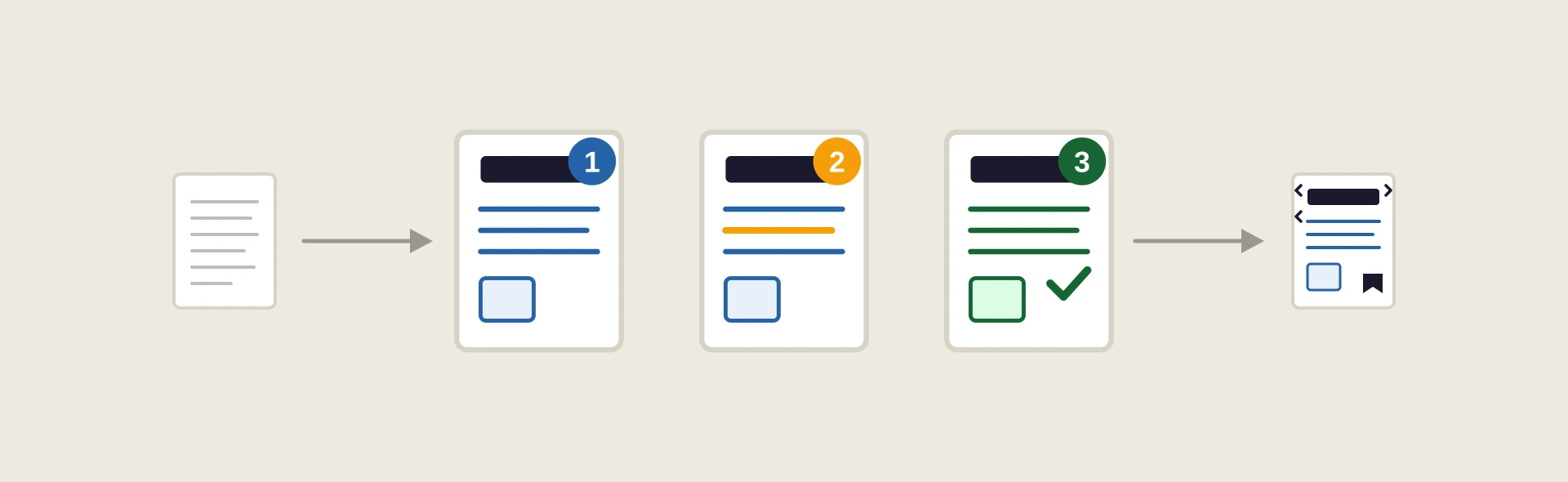
The starting point. Wording with no design applied yet, nothing to fix because nothing has been built.
Text is placed into the design and exported as a draft PDF, no accessibility work yet, so the client can confirm the wording is correct.
Any wording issues found in the draft are fixed directly in the layout file, not on the PDF.
The client confirms the text is correct. This has to happen before accessibility work starts, or it gets redone.
Headings, reading order, alt text and bookmarks are added so screen readers and assistive tools can use the file correctly.
Any text change made after this point invalidates the structure. An automated accessibility check fails.
The correction goes back into the layout file. DTP1, DTP2, DTP3 and Remediation are all repeated from there and verified again, not patched on the finished PDF.
DTP Services Berlin builds PDF/UA structure in the source file, so tags, alt text and reading order survive every revision, in every language. Send the file for a free assessment.
Request a free assessment →